
Capture the inquiry
Start with the first point of contact, not after someone is already an established client.
PracticeRunner supports the work around the work: inquiries, consultations, intake, scheduling, sessions, supervision, communication, billing, payments, and follow-up in one practical system.
It is designed around how therapy is actually practiced, so client workflows, treatment relationships, and practice administration stay connected without turning care into a set of disconnected tools.
Built for individuals, couples, families, groups, associates, supervisors, and the work around the work.
Solo workflow
See what needs attention without hunting through tabs.
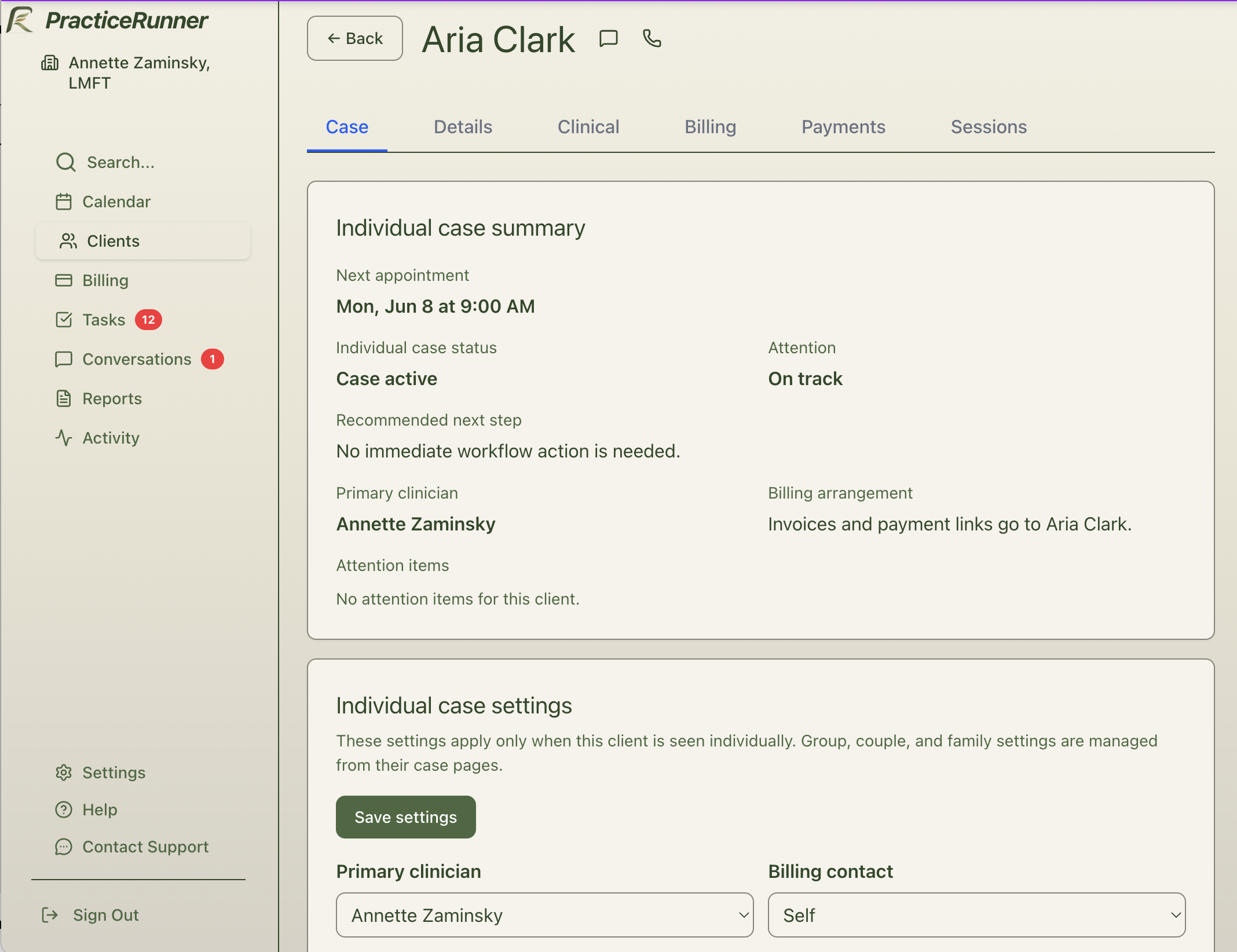
Many systems begin once someone is already a client. PracticeRunner supports the earlier workflow too: inquiry, consultation, intake, payment setup, scheduling, and the handoff into active care.
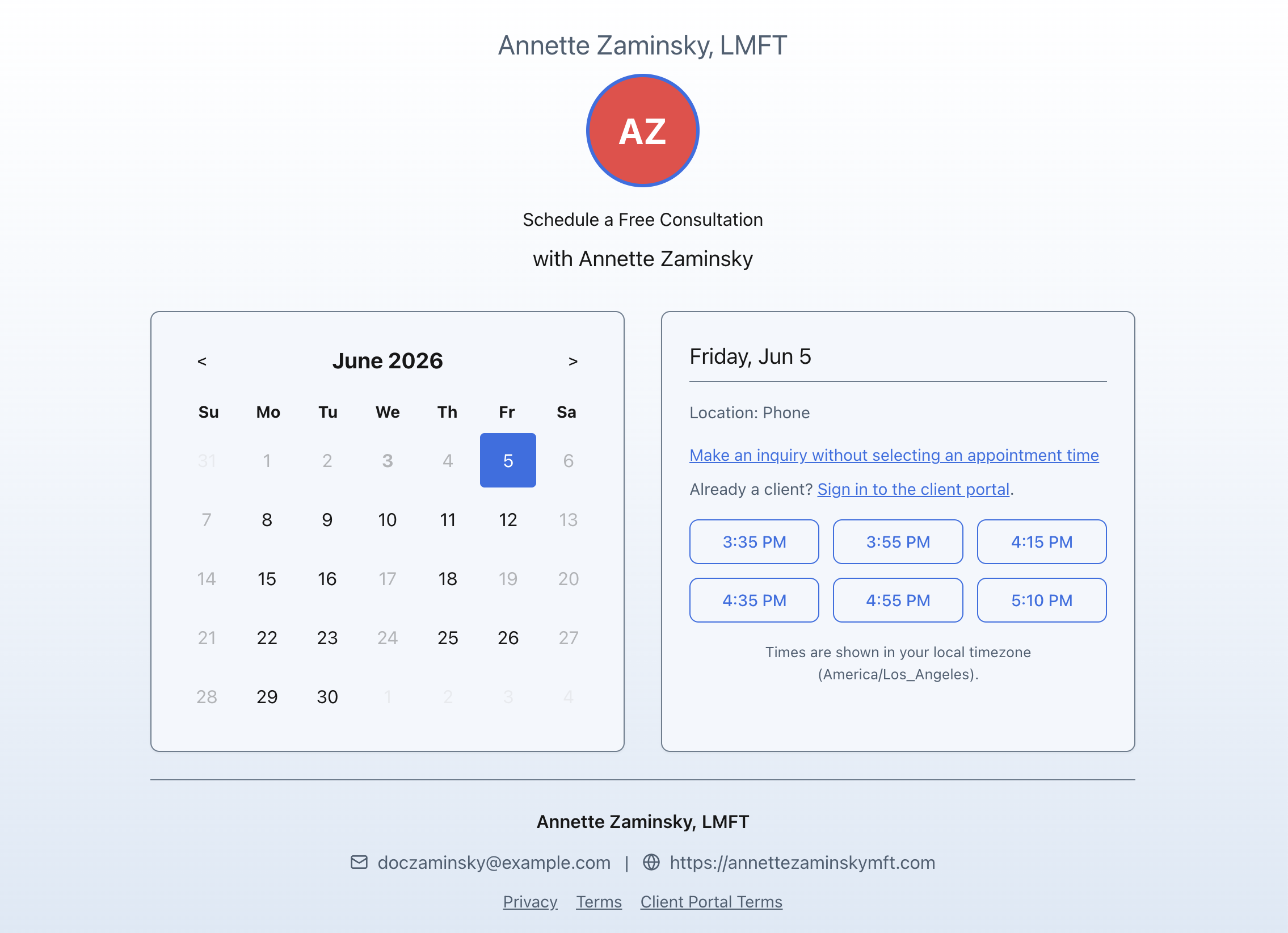
From first inquiry to active care.
Step 1
Prospect
Step 2
Consultation
Step 3
Intake
Step 4
Scheduled
Step 5
Active client
Start with the first point of contact, not after someone is already an established client.
Use provider, location, format, and service availability to guide consultation or first-session scheduling.
Send forms, collect payment setup when appropriate, and keep onboarding details attached to the client workflow.
The therapist and client both have a clearer path from first contact to the first appointment.
Therapists do not experience practice management as isolated features. They move between scheduling, communication, documentation, billing, and follow-up throughout the day. PracticeRunner keeps those workflows close enough that the next step is easier to see.
Availability, recurring appointments, schedule changes, locations, and session formats stay tied to the way clients actually enter and continue care.
Conversations, reminders, portal access, and client replies stay connected to the client context without putting ordinary email in charge of the work.
Notes, forms, workflow summaries, and review tasks help clinicians see what needs attention without reconstructing the story from separate places.
Invoices, credit cards, lower-cost bank transfers, AutoPay, superbills, saved payment methods, and billing preferences stay part of the care workflow instead of becoming a separate system.
Find clients, cases, appointments, invoices, settings, and help articles from one search surface when the next step is clear but the menu path is not.
Scheduling stays connected to the rest of the workflow.
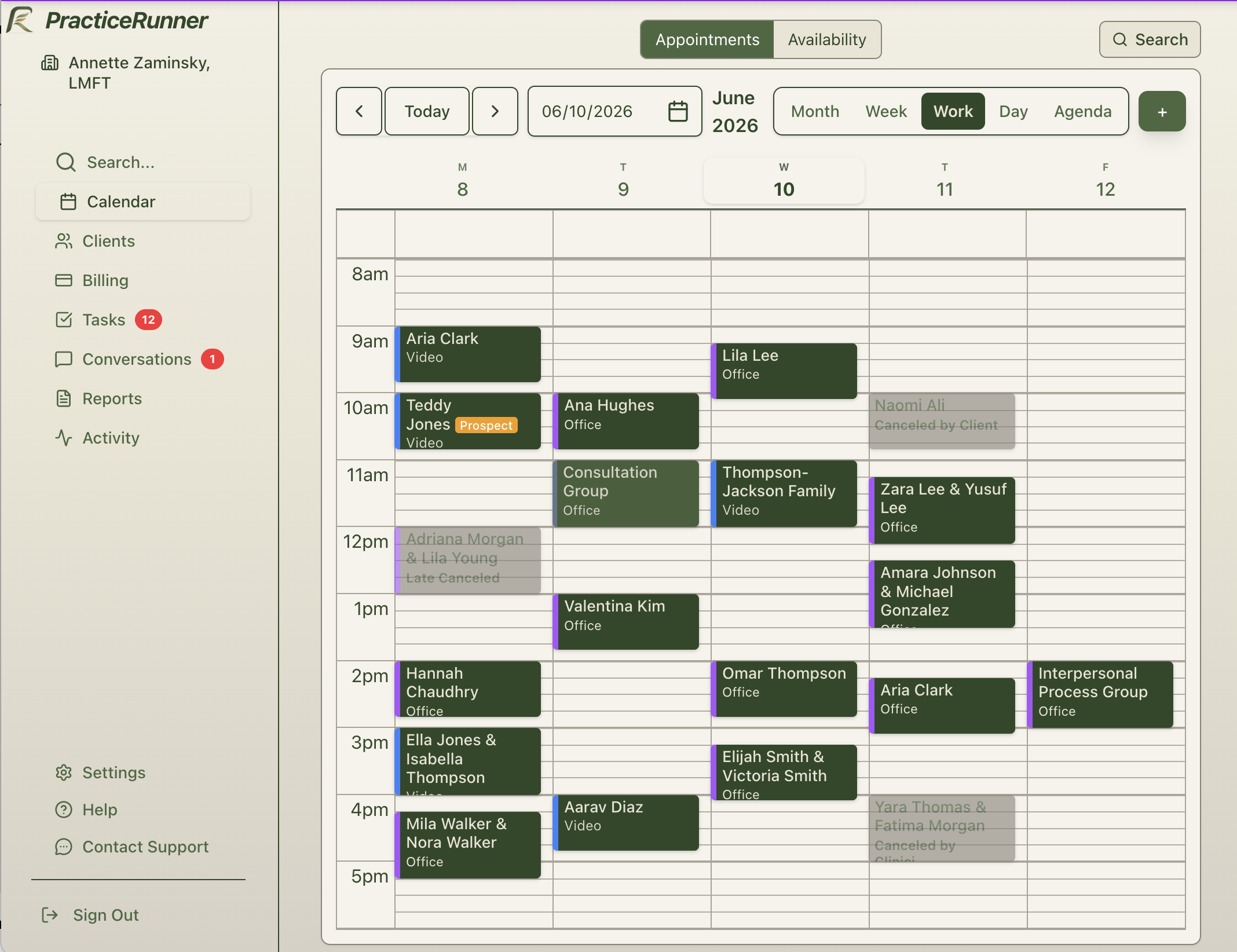
Portal scheduling, Conversations, reminders, task prompts, search, mobile-friendly calendar handling, and admin delegation all reduce repeated follow-up without making the practice feel impersonal.
Learn how search worksReal-world therapy is relational. A practice may begin with individual clients, then add couples, families, groups, consultation services, billing contacts, and more complicated communication patterns.
PracticeRunner uses the same workflow model as the work expands. Scheduling, documentation, communication, billing, and payment responsibilities can stay connected to the treatment relationship being worked with.
Individual
Couple
Family
Group
Consultation
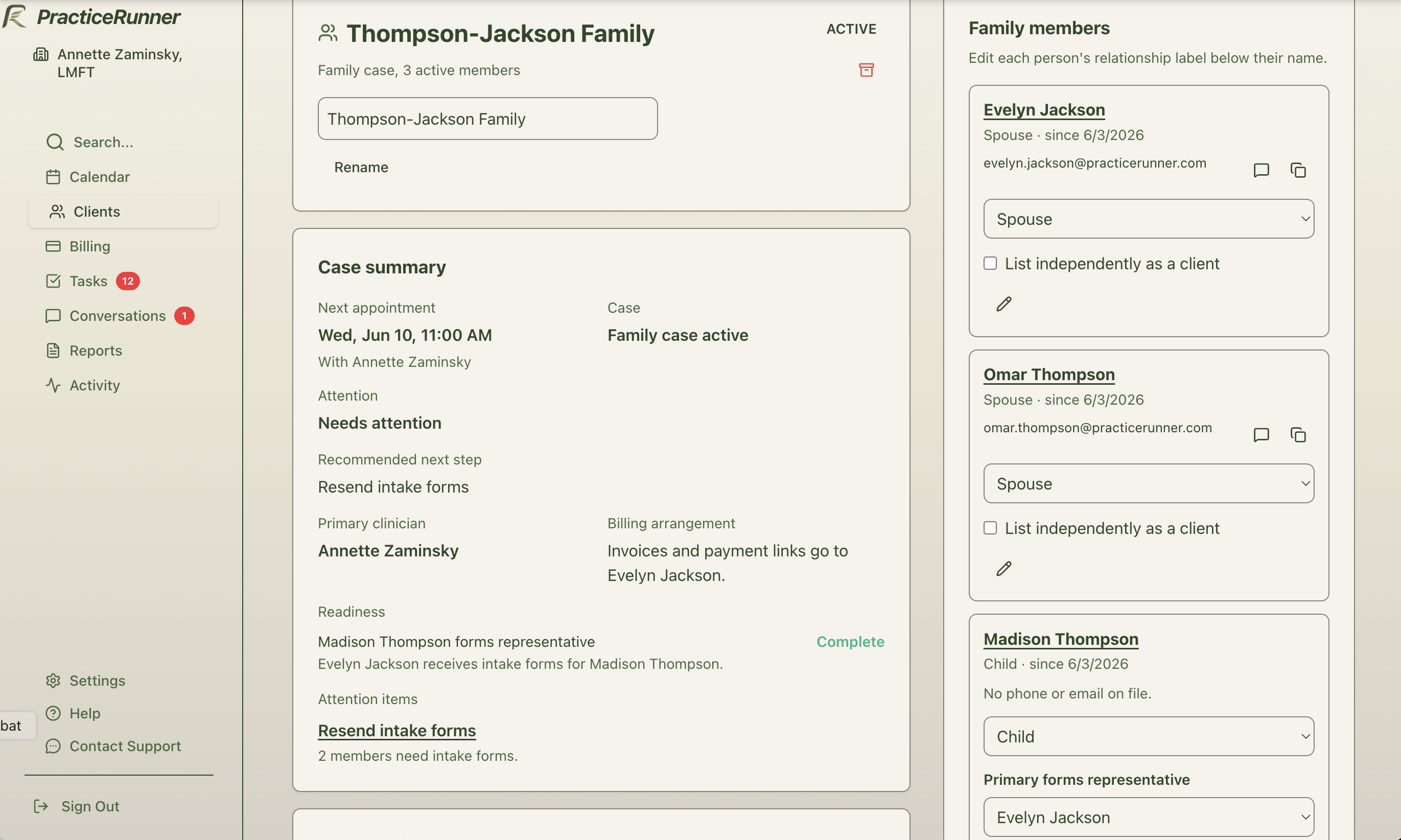
Cases are the model that makes this possible. They let the practice work with a person, a couple, a family, a group, or a consultation client without rebuilding the rest of the workflow each time the work changes.
A couple can be treated as the case, not forced into one person's record.
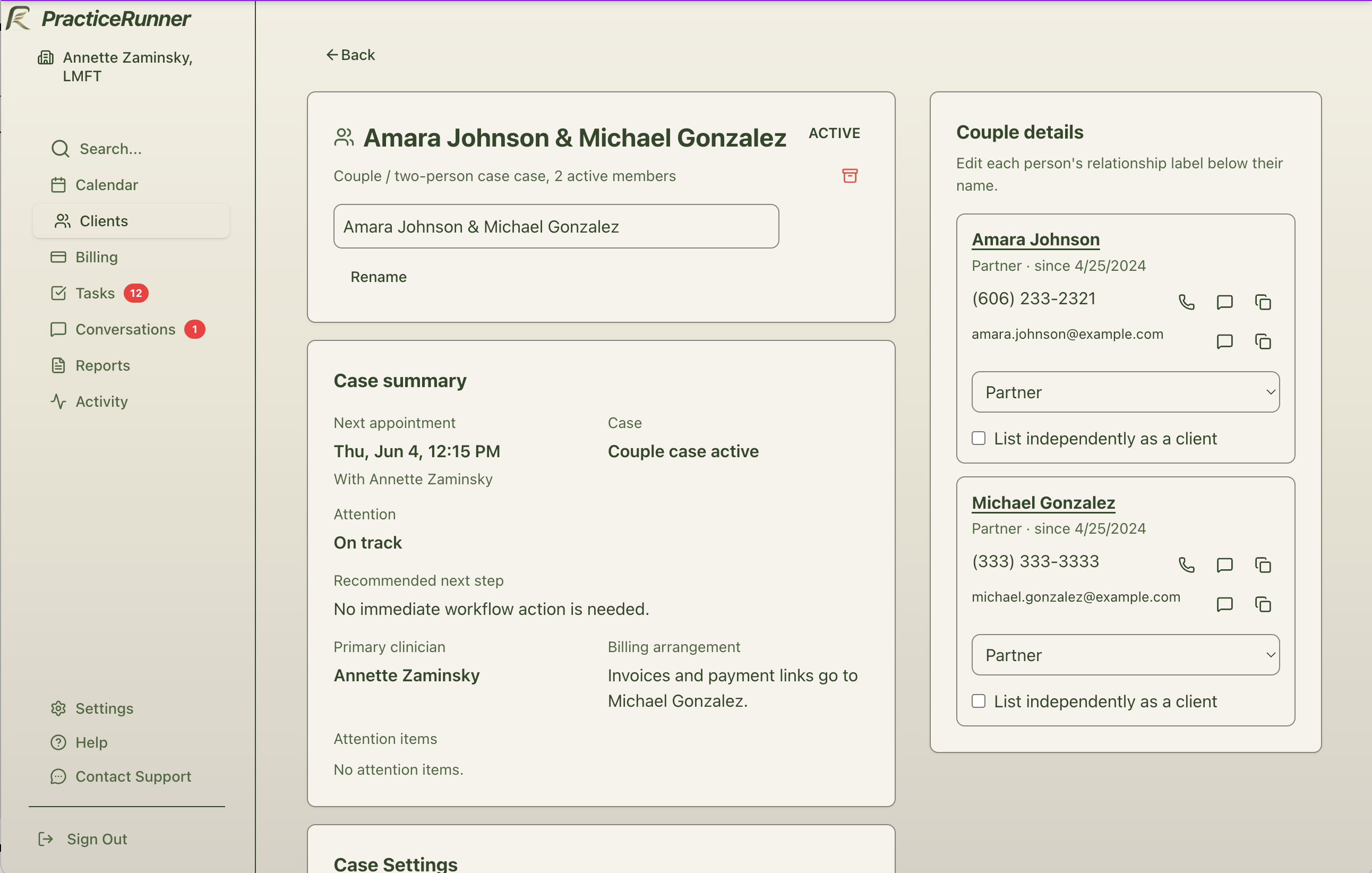
Family and billing relationships can stay visible without duplicating workflows.
Growing practices do not only add more calendars. They add delegated work, supervisory responsibility, associate documentation, admin support, and billing relationships that need to stay coordinated.
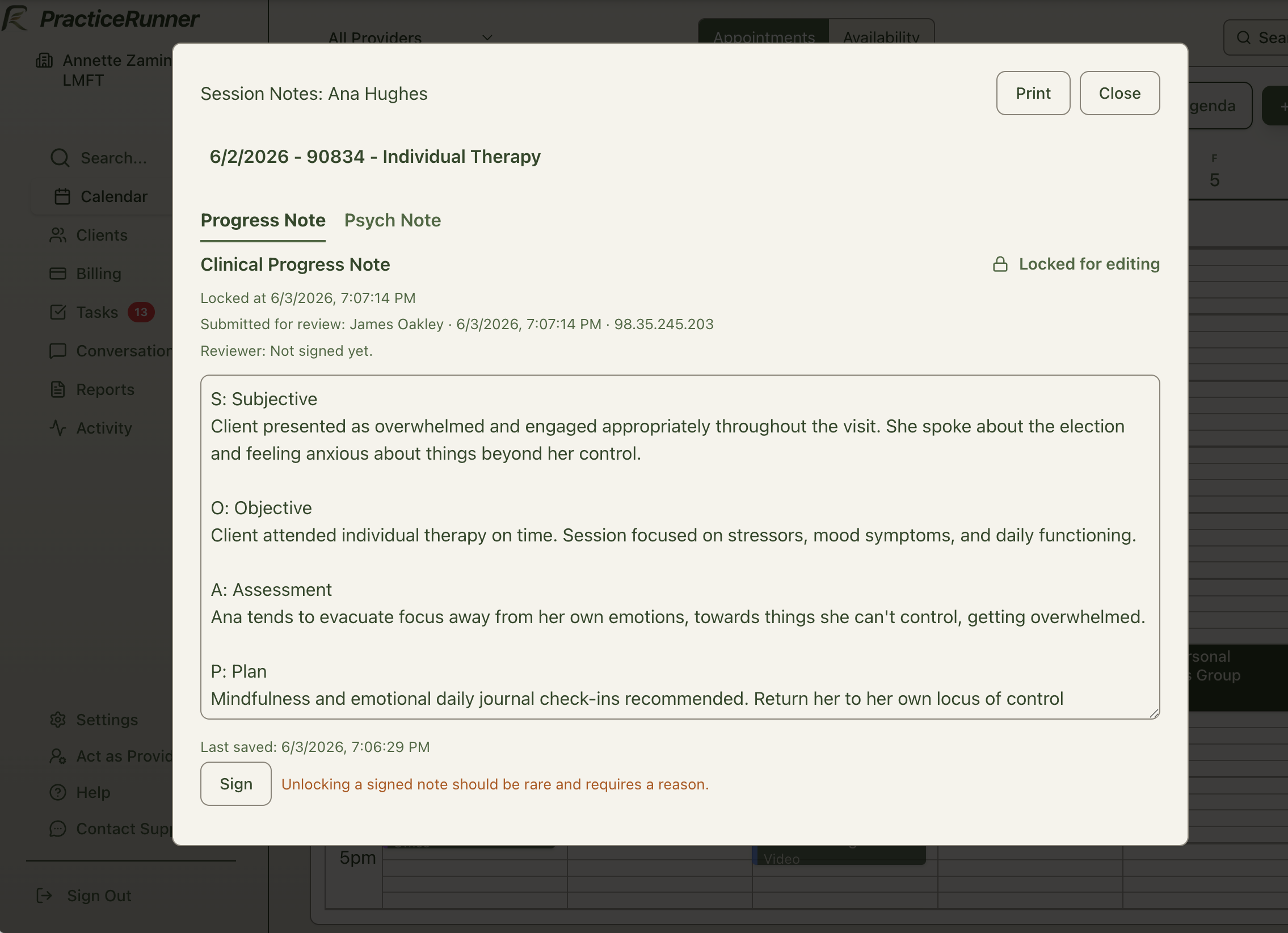
Associate work can stay connected to the client or case, with supervision expectations visible in the workflow.
Review tasks can surface signed associate notes and help supervisors focus on the work that needs attention.
Delegated support can help with scheduling, billing, reminders, intake, portal setup, and provider settings while the practice keeps a clear audit trail.
A supervision workflow can move through the system without becoming a separate checklist.
Review work can surface when it is needed.
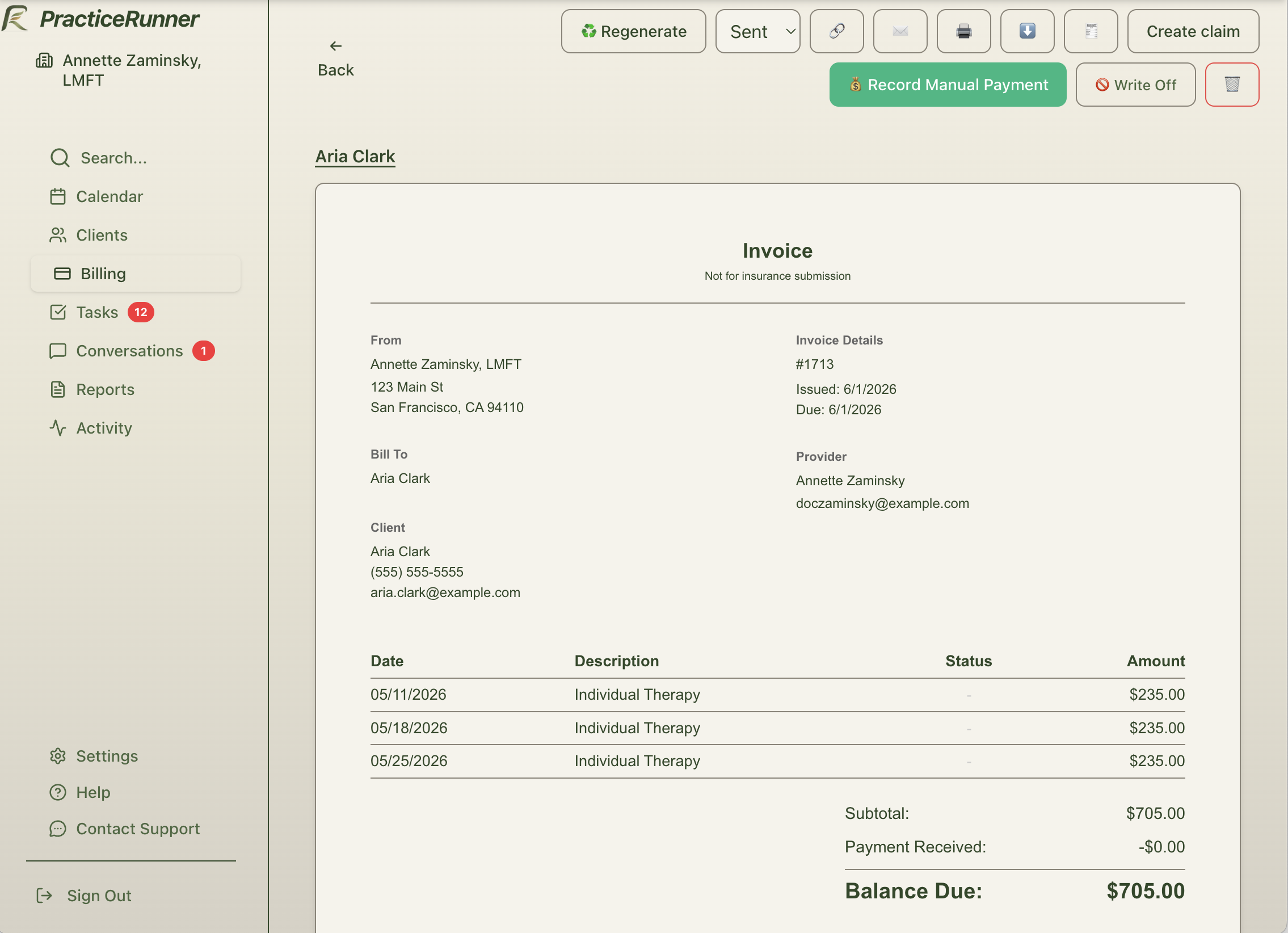
Some practices charge automatically after each session. Others send invoices weekly or monthly. Some clients prefer credit cards, others prefer lower-cost bank transfers, and some payments still happen outside the software.
PracticeRunner supports manual and automated billing workflows so you can run the financial side of your practice the way you choose, with less repeated follow-up.
Manual or automated billing, with cards, bank transfers, invoices, and superbills.
Collect payment by credit card or bank transfer while keeping payment choices connected to the client workflow.
Create invoices yourself, or let PracticeRunner send invoices automatically on the schedule that fits your practice.
Use saved payment methods for automatic billing when that matches your policy and the client's agreement.
Support superbills, CMS-1500 claim form exports, statements, and payments that happen outside the software, such as check, cash, Zelle, or other manual payments.
Practical billing for real-world private practice
Billing can adapt to common private-practice realities: different payment methods, different client needs, session-length fee pro-rating, billing contacts, manual or automatic billing, superbills, CMS-1500 claim form exports, and policies that change gradually instead of all at once.
A system that worked when the practice was simpler can start to strain as the work changes. PracticeRunner is built for practices that need the software to adapt as operations become more relational, delegated, and layered.
You do not have to change everything overnight. PracticeRunner supports practical transition paths, including supported imports and migration-friendly exports with CSV files, note text files, PDFs, and original uploaded files when you need a clean archive. Read the import guide.